Real e-invoices
Every finished invoice is a PDF with an embedded e-invoice: ZUGFeRD by default, optionally XRechnung for public authorities. A validation report shows that format and rules are met.
Shopify app from Mainz, Germany · e-invoices to EN 16931
Kurswacht Invoice turns your Shopify orders into invoices and credit notes – automatically, sequentially numbered and as validated e-invoices. If something is unclear, the app stops and tells you why.
Free plan with 50 documents a month · billed through Shopify · support from the developer
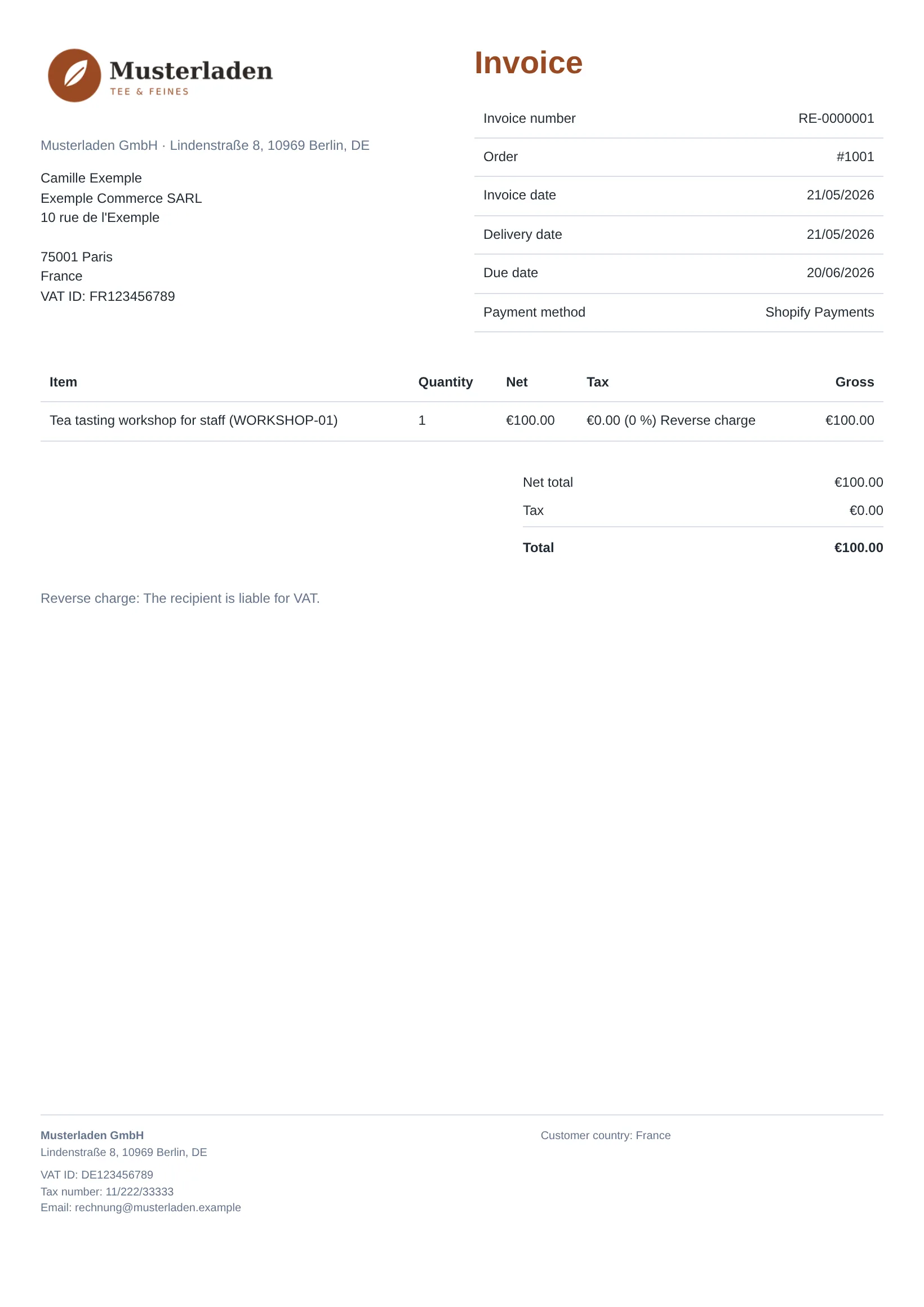
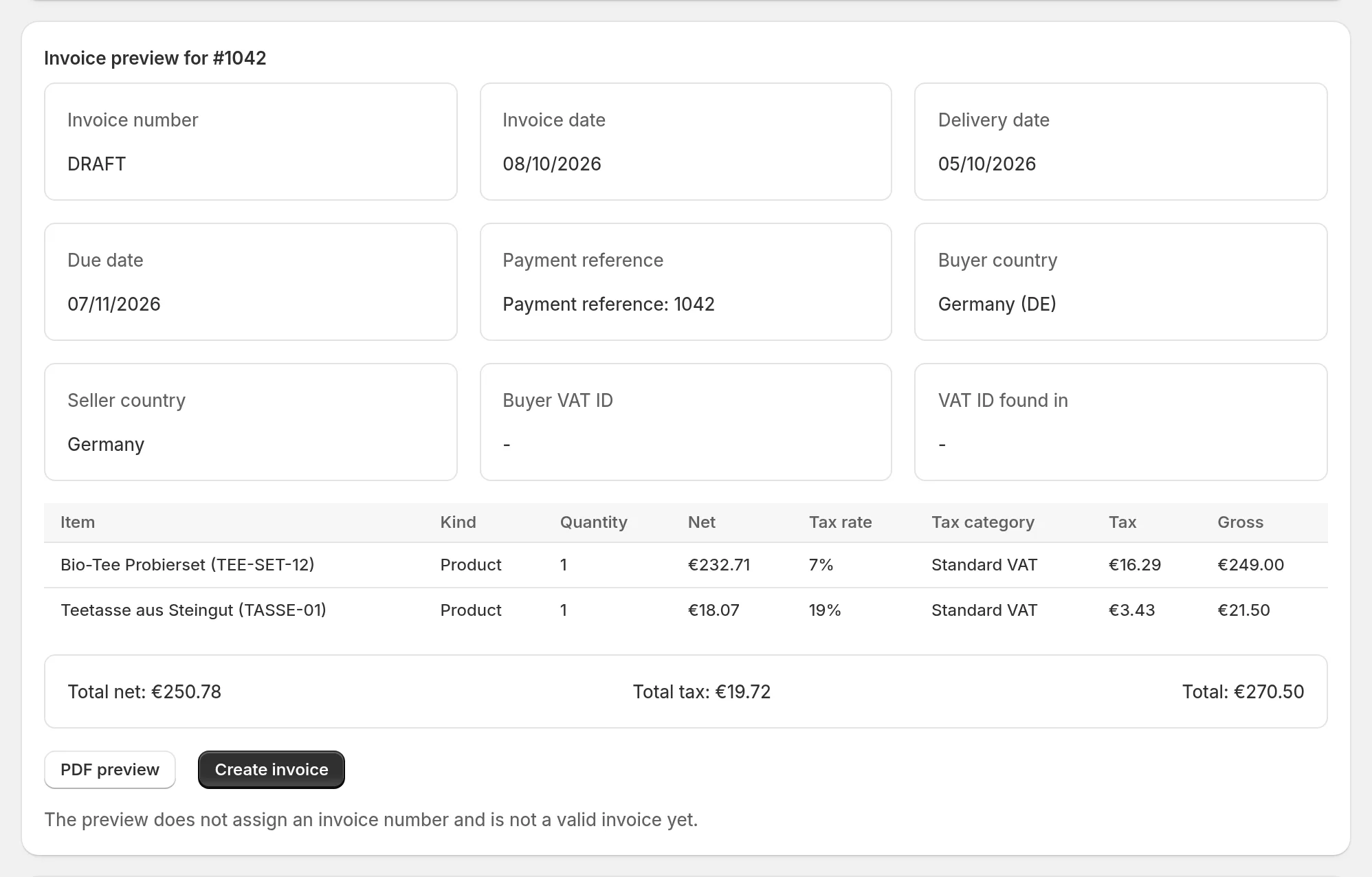
Invoices should simply be right. The app does the routine – and stops before anything wrong is created.
Every finished invoice is a PDF with an embedded e-invoice: ZUGFeRD by default, optionally XRechnung for public authorities. A validation report shows that format and rules are met.
If a detail is missing or a tax case is unclear, the app does not assign a number. It tells you what is missing.
Clear refunds against invoices from the app get a credit note with a reference to the invoice automatically – never twice. Unclear cases are shown to you.
Documents appear on the Shopify order. Your customers download them in their account.
All documents of the month as a package with a CSV list. Optionally as a DATEV booking batch (for sellers in Germany with euro documents) or an OSS summary.
Clear defaults and plain hints instead of jargon – in English and German.
Pictures and a video from the real app with a demo shop – from the order to the finished e-invoice.
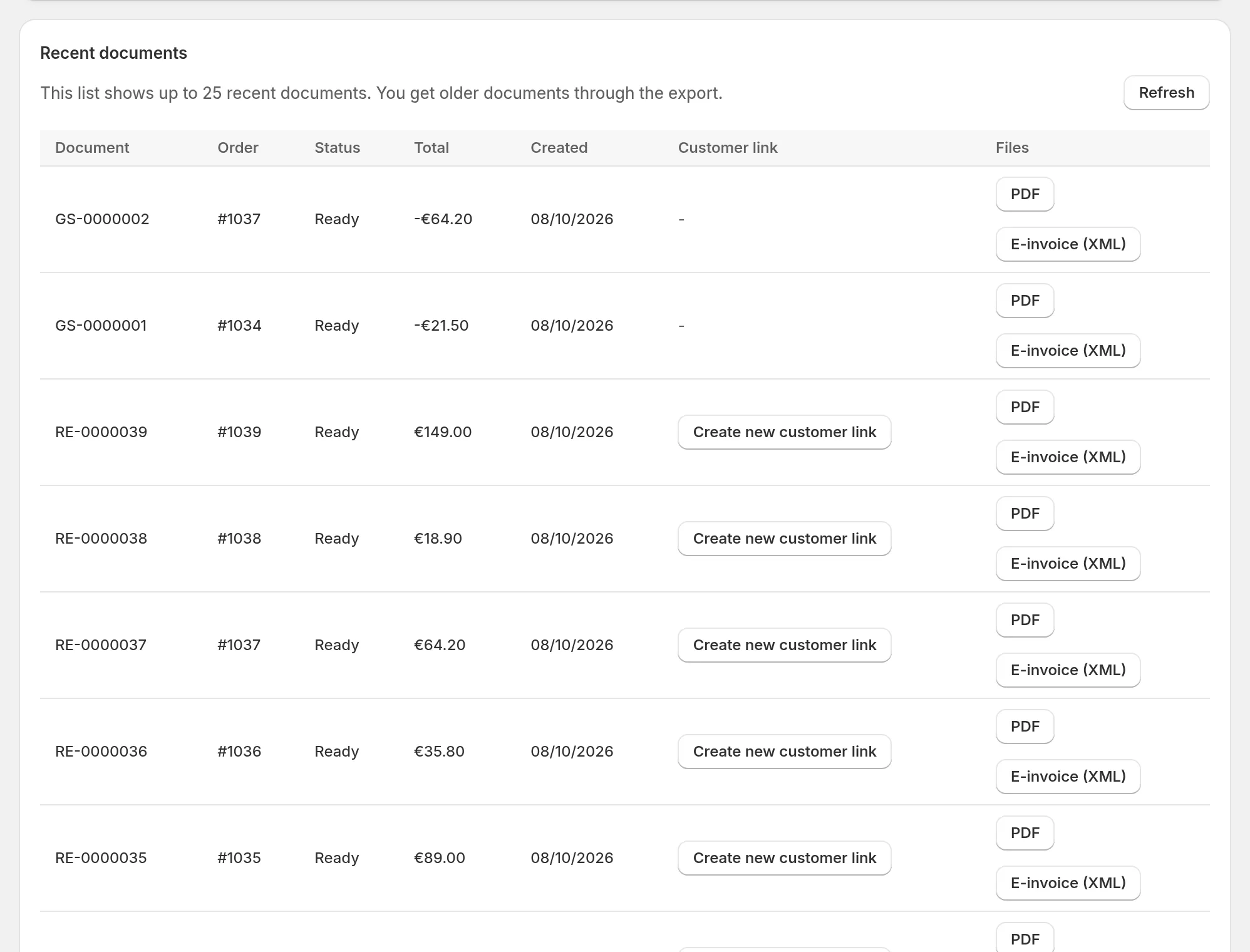
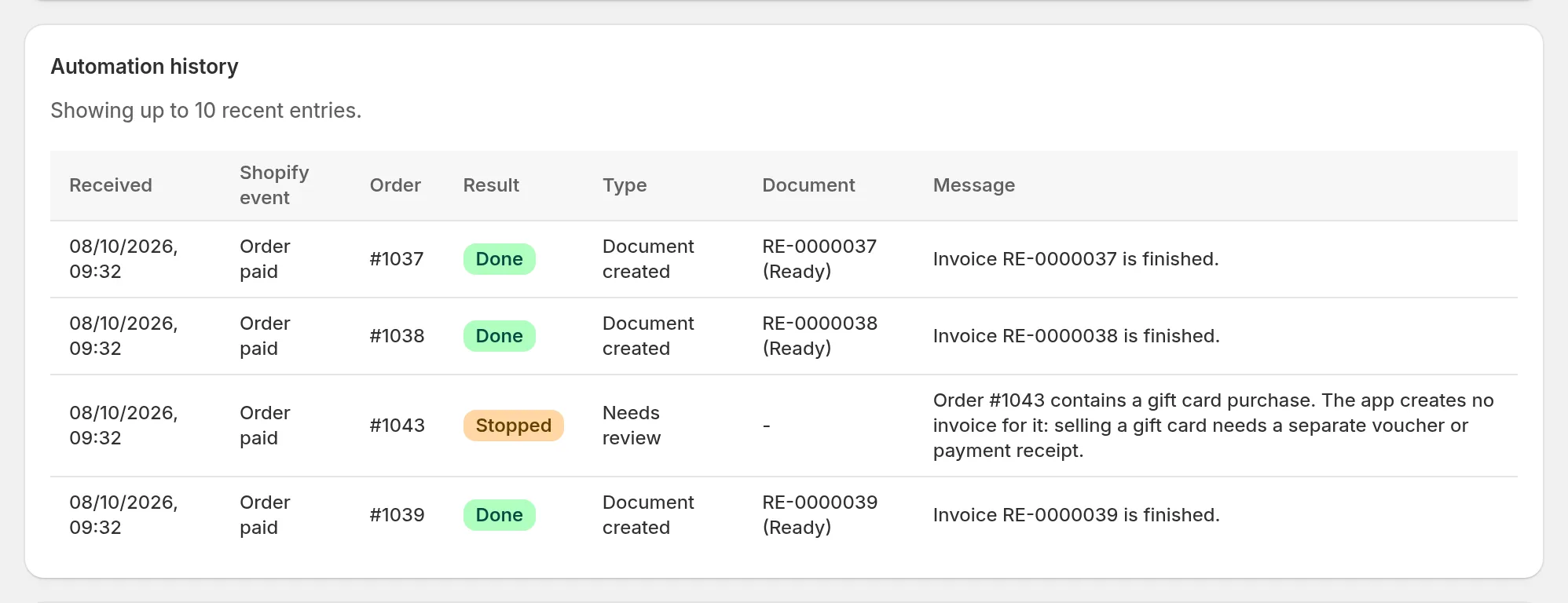

The app shows you what is still missing.
From that day on, invoices are created automatically. Invoice older orders deliberately when you need to.
Invoices and credit notes are created on their own. The app shows exceptions with the next step.
Honest comparisons with sources – including when the other app fits better.
There, you select documents and print them. Kurswacht Invoice creates them automatically as e-invoices.
There, e-invoicing costs USD 10 a month extra. Kurswacht Invoice includes it in every plan.
There, credit notes and the VAT ID check start at USD 49 a month. Kurswacht Invoice has them in every plan.
Shopify invoicing apps for Germany and Austria side by side: e-invoices, credit notes, numbering and prices.
Information about other apps according to their vendors, as of 6 October 2026. See all comparisons
From DACH, for DACH
We know the rules it handles from running a shop ourselves.
E-invoices, sequential numbers, credit notes that reference the invoice and exports for your accountant.
The app detects sales to businesses in other EU countries and exports on its own. Optionally, it checks the VAT ID with the EU.
App, docs and support in German or English. Invoices in six languages.
The technology already creates the invoices of a German Shopify shop.
Merchants in Switzerland: the app does not yet cover the Swiss QR-bill.
Included in every plan. “Optional” means: switch it on in the settings.
Since 1 January 2025, businesses in Germany must be able to receive e-invoices. Issuing has a transition period: from 2027, businesses with more than €800,000 prior-year turnover must generally issue e-invoices to other domestic businesses, and from 2028 generally all businesses must.
Exceptions include invoices from small businesses under the German small-business rule, small-value invoices up to €250 gross and invoices to consumers. A PDF with embedded ZUGFeRD XML in the EN 16931 profile is an accepted format if the invoice is correct in content and form. Kurswacht Invoice checks the technical side before every release.
Not tax or legal advice. Check individual cases with your accountant.German Federal Ministry of Finance: questions and answers on e-invoicing (German)
Every feature in every plan. You only pay for volume: each finished invoice and credit note counts as one document, previews do not. Billing runs through Shopify. Prices are in US dollars, as on the Shopify App Store. If your shop is billed in another currency, Shopify converts at the current rate, including its currency exchange fee. A 30-day trial covers a full month-end close; documents created during the trial are not charged.
$0
per month
$9.99
per month
$29
per month
$59
per month
So you know up front:
For Shopify merchants based in the EU, especially in Germany and Austria.
Up to 50 documents a month are free, then $0.10 per document. Paid plans start at $9.99 a month for 300 documents, with a 30-day free trial. Every plan has every feature. Documents created during the trial are not charged. Prices are in US dollars, as on the Shopify App Store; if you are billed in another currency, Shopify converts at the current rate, including its currency exchange fee.
Yes. You choose a start date and can continue your old tool's numbers. Refunds for invoices from your old tool are shown to you for review.
The app does not invoice them on its own. You can invoice them deliberately.
In their customer account, on the order status page and through a link in your Shopify emails. Optionally also as a PDF by email through your own mailbox.
No. The app assigns the number only when the finished invoice is created and all details are complete.
German, English, French, Italian, Dutch and Spanish – one for the whole shop or the language of the order. The app itself is in German and English.
Invoices, credit notes and e-invoices in Shopify – explained in plain words.
8 October 2026
By default, Shopify only sends an order confirmation. How to create invoices with every required detail – by template, by app or automatically.
8 October 2026
Selling to businesses in other EU countries: when an invoice can go without VAT, what it must show, how to check the VAT ID and when OSS applies.
8 October 2026
What your German accountant needs from Shopify, what a DATEV booking batch (EXTF) is, SKR03 or SKR04 – and where a file export reaches its limits.
Install Kurswacht Invoice from the Shopify App Store – the Free plan includes 50 documents a month. Questions about your shop are answered directly by the app's developer by email.